Uplin CRM Dashboard: Track Leads, Conversions & Revenue Smarter
Discover how the Uplin CRM Dashboard helps businesses track leads, conversions, revenue, follow-ups, products, sources, and team performance—all from one place.
CRM Dashboard Software: Track Leads, Conversions and Revenue with Uplin
Problem: Challenges of Managing Leads, Customers & Sales Manually
Running a business is not just about generating leads. You also need to know what happens next. How many leads were created? How many were won? How much revenue came in? Are follow-ups happening?
When these answers are scattered across spreadsheets, messages, and team members, getting a clear picture becomes difficult. As lead volume grows, manual tracking makes it harder to see what is working.
What is CRM Software?
CRM, or Customer Relationship Management software, helps businesses organize leads, customers, sales activities, and follow-ups in one centralized system.
A CRM Dashboard makes this information easier to understand by bringing important performance data into one view.
Why Businesses Need CRM Software
Businesses need more than data—they need visibility.
CRM software helps organize these activities and makes it easier to track the journey from lead generation to conversion. Instead of relying on scattered records, businesses can get a clearer understanding of their sales activities.
When you can clearly see what is happening, making better business decisions becomes easier.
What Makes a Good CRM Software?
A good CRM should simplify work, not create more work. It should provide easy access to important information and useful insights without requiring manual reports.
Flexible filters are equally important. Businesses may want to analyze a specific period, product, lead source, or team's performance. A useful dashboard should make these insights easy to explore.
Uplin CRM Software Features
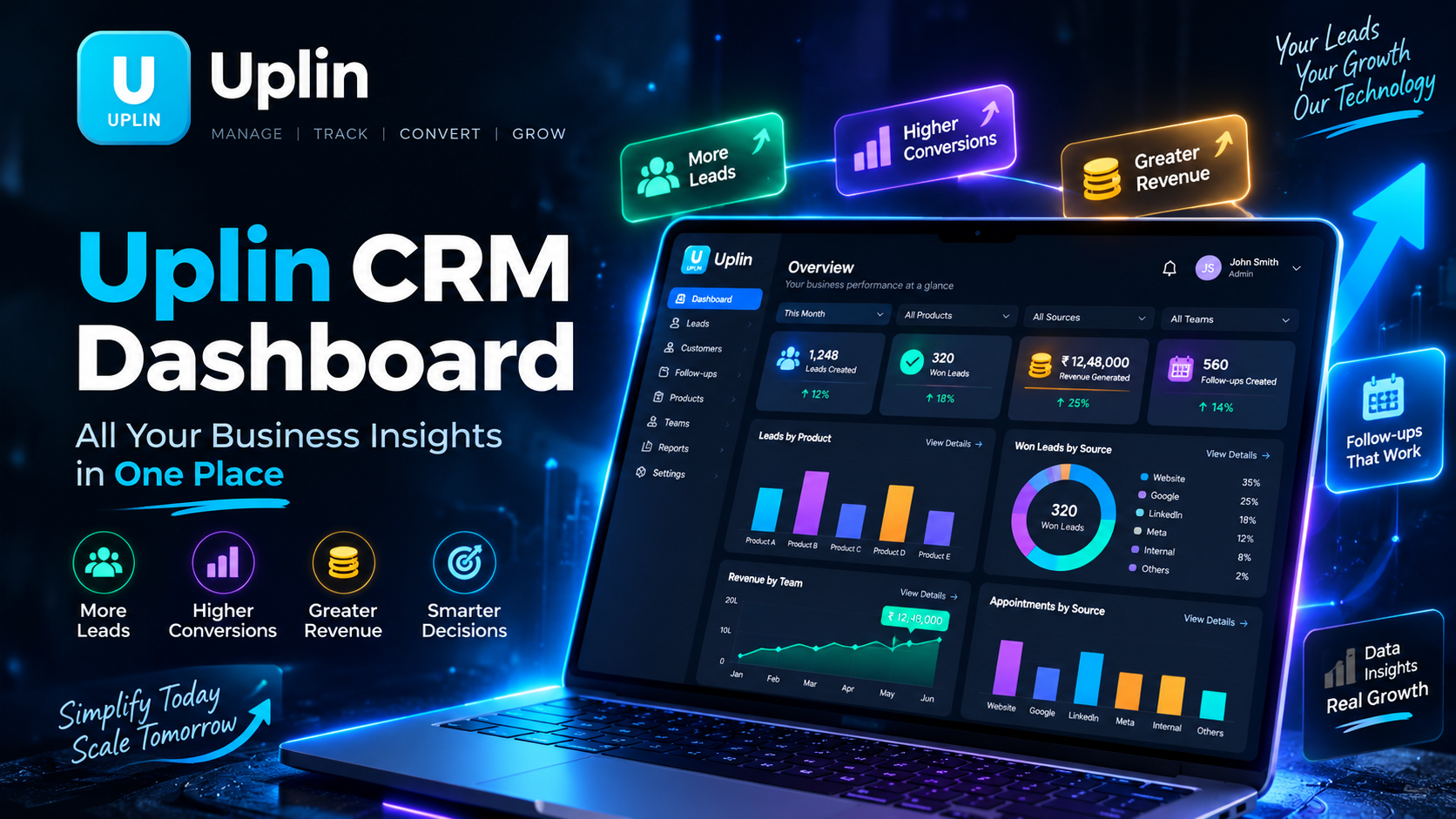
The Uplin CRM Dashboard brings key lead and sales insights together. Users can see leads created, won leads, revenue generated, and follow-ups created.
It also provides deeper insights, including:
Leads collected and won leads by product
Leads collected and won leads by source
Follow-ups by product and source
Appointments by product and source
Won leads by team
Won revenue amount by team
Graphs provide a visual view of performance, helping users understand the numbers more clearly.
How Uplin CRM Works
By default, the Uplin Dashboard displays data for This Month. Users can also choose Today, This Week, Last Month, This Year, or a Custom Range.
The Product filter lets users view all products or focus on a specific product.
The Source filter makes it possible to analyze leads from LinkedIn, Website, Google, Meta, Internal, or other sources configured in the system.
With the Team filter, businesses can view results for all teams or select a particular team.
This flexibility helps users look at the same business data from different perspectives and focus on the information that matters most.
Key Benefits of Using CRM Software
With a clear CRM Dashboard, businesses can:
Track leads and conversions
Monitor generated revenue
Analyze product performance
Understand lead sources
Review follow-up activity
Track appointments
Measure team performance
View data through graphs
Instead of searching through different reports, businesses can focus on understanding what the numbers are saying.
Manual Business Management vs CRM Software
With manual business management, information can remain scattered across different spreadsheets and updates. Finding specific details may require checking several records and collecting information from different people.
With CRM software, important information is organized in one system. Users can filter Dashboard data based on their needs, making it easier to review a period, product, source, or team without the usual back-and-forth.
Who Needs CRM Software?
CRM software can benefit sales teams, agencies, service-based businesses, startups, growing companies, multi-product businesses, and organizations receiving leads from multiple channels.
If your business needs better visibility into leads, conversions, follow-ups, or revenue, a CRM can bring these activities into a more organized process.
Why Choose Uplin CRM?
Uplin CRM helps businesses see important lead and sales information from a clearer perspective.
Its Dashboard allows users to analyze data by date range, product, source, and team. The available filters make information easier to explore.
The goal is simple: spend less time gathering information and more time using it.
Frequently Asked Questions About CRM Software
What can I see on the Uplin CRM Dashboard?
You can view leads, won leads, revenue, follow-ups, appointments, and product-wise, source-wise, and team-wise insights.
Can I filter the Dashboard data?
Yes. You can filter information by date range, product, source, and team.
What date ranges are available?
Today, This Week, This Month, Last Month, This Year, and Custom Range.
A Clearer View Before the Next Move
With the Uplin CRM Dashboard, you can:
Track leads and won conversions
Monitor revenue and follow-ups
Analyze products and lead sources
Review appointments
Understand team performance
Get a clearer picture through visual graphs
Your business generates valuable information every day. Uplin CRM helps bring that information together, so you can spend less time searching for answers and more time deciding what to do next.
Ready to understand your leads and sales performance more clearly? Explore Uplin CRM and bring your important business insights into one place.
👉Run Your Business Smarter. Grow Without Limits. Get a Free Demo..